
If your 1688 payment failed, do not immediately submit another payment. First, check whether the order is still unpaid and whether your bank or payment provider has already charged or authorized the transaction. Once the original payment status is clear, you can identify the error, fix the payment method, or choose another way to complete your purchase.
For overseas buyers, a failed 1688 checkout may involve an international card rejection, missing payment option, World Pay authorization problem, insufficient funds, or an expired order.
Some problems are easy to resolve yourself. Others may prevent you from completing the purchase through your own account.
This guide explains how to identify the difference and what to do next without risking duplicate payments.

What Should You Check Before Retrying a Failed 1688 Payment?
When a payment on 1688 fails, the first question is not which payment method to try next. It is whether the original payment actually went through.
A checkout error and a bank transaction record do not always update at the same time.
Before making another attempt, check three things.
Check Your 1688 Order Status
Open your order history and find the order you were trying to pay for.
Look for its current status:
- Unpaid: The order has not been marked as paid.
- Paid: The platform shows the payment as completed.
- Cancelled or closed: The original order may no longer be payable.
An unpaid status alone is not proof that no money has been authorized by your payment provider.
Check Your Bank or Payment Provider
Review the transaction in the payment account you used.
Look for a completed charge, a pending authorization, or a declined payment.
A pending transaction may be a temporary hold rather than a completed supplier payment. However, you should not assume the money is available for another purchase until the provider confirms its status.
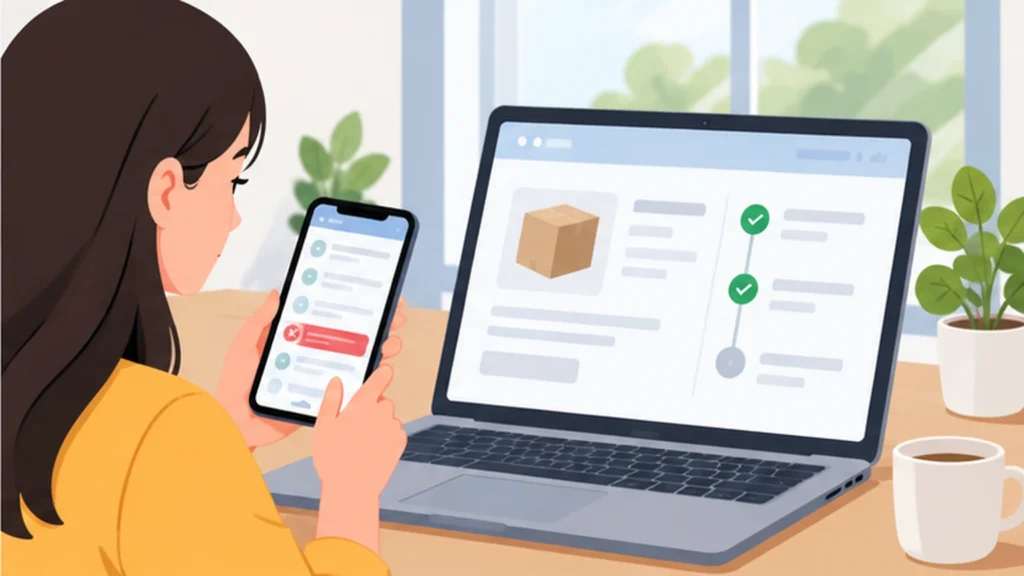
Match the Order and Payment Records
| What you see | What to do |
|---|---|
| 1688 shows unpaid, and no charge was made | Check the error and payment settings before retrying. |
| 1688 shows unpaid, but money is pending or deducted | Pause and contact the payment provider and 1688 support. |
| 1688 shows paid | Do not create a replacement order. |
| The order is cancelled or closed | Confirm that no payment remains unresolved before reordering. |
| Payment records are unclear | Save the references and ask the relevant providers to investigate. |
Keep the order number, transaction date, payment amount, and exact error message.
Do not authorize another payment or ask a purchasing agent to reorder the goods while the original payment remains unresolved.
Once you have confirmed that no successful payment is outstanding, you can investigate the reason for the failure.
Why Did Your 1688 Payment Fail, and How Can You Fix It?
The best solution depends on the error you actually encountered.
A rejected international card is not the same problem as a missing World Pay option. Treating them as identical can lead to repeated unsuccessful payments.
Use the following table to find your starting point.
| Error or situation | Possible cause | First action |
|---|---|---|
| International card declined | Bank restriction, transaction limit, or unsupported card | Check with your card issuer. |
| Payment option missing | Account, region, supplier, or order restrictions | Review the checkout options and eligibility. |
| World Pay authorization error | Account verification or binding problem | Check the relevant WorldFirst authorization. |
| Insufficient balance | Available funds do not cover the payment and fees | Review the total required amount. |
| Alipay verification error | Required identity or account verification is incomplete | Follow official verification instructions. |
| Order expired or amount changed | Order is no longer valid or supplier details changed | Confirm the current order with the supplier. |

Your International Card Was Declined
If Visa, Mastercard, or another supported card appeared at checkout but the transaction was rejected, start with your bank.
Check whether the card issuer blocked the payment because of international transaction settings, a spending limit, insufficient funds, or a security review.
If the bank confirms the decline, ask what must change before another attempt.
If your bank reports no attempted transaction, the failure may have happened earlier in the checkout process. Check the error displayed by 1688 or its payment provider.
Do not keep switching cards without identifying the restriction. Another card may fail for the same reason.
Your Payment Method Does Not Appear
You may follow a 1688 payment tutorial but find that the suggested option is not available on your checkout page.
Payment availability can vary by buyer account, region, order type, supplier, and payment provider.
If World Pay is missing, check whether your account has completed the necessary authorization and whether the order uses a supported secured transaction.
World Pay may also be unavailable for certain products, promotions, suppliers, or order types.
If an order or product is restricted, do not attempt to bypass that restriction through a different account or purchasing service.
If you simply need to compare the payment routes currently available to overseas buyers, read our 1688 payment methods guide.
World Pay Fails Even Though You Have an Account
World Pay enables eligible buyers to pay supported 1688 orders through a WorldFirst account using offshore RMB (CNH).
If you already have an account but the payment fails, check:
- Whether your 1688 account has completed the required verification and authorization.
- Whether the World Pay connection is active for the relevant 1688 account.
- Whether the checkout order supports World Pay.
- Whether your available CNH balance covers the order and applicable fees.
For example, a buyer may have enough CNH to cover the product price but not the additional charges required to complete the transaction.
WorldFirst’s official 1688 World Pay FAQ explains account authorization, insufficient balance, and reasons why World Pay may not appear at checkout.
Note: World Pay, WorldFirst Payments, and World Card are not interchangeable products. Their funding currencies, verification requirements, and availability can differ. Follow the instructions for the specific option shown in your region and checkout.
Your Alipay or 1688 Account Requires Verification
Some payment routes require identity verification or account authorization before purchases can be completed.
Creating an Alipay account does not guarantee that every 1688 payment function will become available.
Read the actual verification message and use the official account or payment provider’s instructions.
If your account is restricted, suspended, or under review, contact official support.
A purchasing service should not be used to bypass identity checks, platform controls, or other compliance restrictions.
Your Order Is No Longer Payable
Sometimes the payment method works, but the original order has expired or changed.
For example, a supplier may have updated the product price, quantity, variant, or domestic delivery charge.
Check whether:
- The product is still in stock.
- Your selected specifications are available.
- The quantity and current price are correct.
- The order remains valid for payment.
If a new order is necessary, confirm the new amount and supplier conditions before paying.
Do not assume that the original product price or delivery charge will remain unchanged.
What If You Still Cannot Complete Your 1688 Payment?
After identifying why your payment on 1688 failed, you have three practical ways to proceed.
The right choice depends on whether the problem is temporary, whether another supported payment route is available, and whether you want to manage the purchase yourself.
Option 1: Fix the Original Payment Method
This is usually the first choice if the problem has a clear solution.
For example, your bank may allow the payment after you confirm the transaction, or you may only need to complete an account authorization or add sufficient funds.
Once the problem has been corrected and the original payment is confirmed unsuccessful, you can attempt payment again if the order remains valid.
You do not need to pay a purchasing-service fee for a problem you can resolve directly.
Option 2: Use Another Supported Payment Method
If the original method cannot be used but another eligible option is available at checkout, compare its requirements and total cost.
Check the payment fees, currency conversion, account requirements, and applicable refund process.
Changing payment methods makes sense when the alternative is officially supported for your order and does not introduce unnecessary complications.
It does not make sense to repeatedly attempt methods that your account or order cannot use.
Option 3: Ask a China Purchasing Service to Place the Order
Consider purchasing assistance when:
- You have confirmed that the original payment was unsuccessful.
- You cannot access a supported direct payment route for your intended purchase.
- The goods and supplier are eligible for a purchasing service.
- You are willing to pay an additional service fee for order confirmation, supplier payment, and purchasing assistance.
This option is also relevant when you would prefer someone to handle Chinese supplier communication and RMB payment rather than managing those steps yourself.
A purchasing service is an alternative purchasing arrangement, not a repair service for a failed bank or Alipay account.
For example, suppose you want to buy 200 units of a product from 1688. You have agreed on the quantity and specifications, but none of the payment methods available to your account allows you to complete the order.
You could continue trying to establish an eligible direct payment route. Alternatively, once you have resolved any previous payment uncertainty, you could ask a China purchasing service to review the product and arrange a separate purchase.
The second option may cost more, but it can reduce the purchasing work you need to manage in China.
The important question is whether that additional support is worth the fee for your particular order.
How to Complete Your Purchase Through 1688Warehouse After a Payment Failure
If your direct payment problem remains unresolved and you still want to buy the goods, 1688Warehouse can assess whether it can purchase them on your behalf.
You do not necessarily need to search for different products or abandon your chosen supplier.
However, an existing unpaid order in your personal 1688 account cannot be assumed to transfer directly to another buyer or purchasing agent.
We may need to confirm the product details and place a separate order through our supported purchasing process.
Step 1: Confirm That the Original Order Is Not Already Paid
Before arranging another purchase, verify that the original transaction has not been completed and that no payment remains unresolved.
If money is pending or the order status is disputed, resolve that issue with the appropriate payment provider and platform first.
This prevents a replacement purchase from creating a duplicate order.
Step 2: Send the Product Information for Review
You can send us:
- The 1688 product link
- Product specifications, colors, sizes, and models
- Required quantities
- Supplier name or shop link, if available
- Original quoted price, if available
- Any customization or purchasing requirements
- A brief description of the payment problem
You may include a redacted screenshot of the checkout error if it helps explain what happened.
There is no need to share your 1688 password, Alipay password, bank-card details, or one-time verification codes.
Step 3: Confirm Supplier Terms and the New Quotation
Our team can check whether the requested goods are available from a supported supplier and confirm the relevant purchasing conditions.
Before approving the new purchase, review the supplier price, quantity, specifications, domestic shipping charges, purchasing-service fee, and any additional requested service.
An earlier 1688 quotation does not guarantee that the same price or stock remains available for a new order.

What Does Purchasing Assistance Cost?
1688Warehouse’s standard purchasing-service fee is 8% of the product value.
For an illustrative $800 product order:
| Cost item | Amount |
|---|---|
| Product value | $800 |
| Purchasing service fee (8%) | $64 |
| Product plus purchasing fee | $864 |
| Chinese domestic shipping | Additional, if applicable |
| International shipping | Quoted separately |
| Optional additional services | Quoted according to requirements |
The purchasing fee covers the agreed purchasing-assistance scope, including supported RMB supplier payment where applicable. It is not a fee for restoring your payment account.
This distinction matters when comparing whether to continue direct purchasing or request assistance.
Step 4: Approve the Purchase and Arrange Supplier Payment
After the product details and quotation are confirmed, you can approve the proposed purchasing arrangement and complete the agreed payment to 1688Warehouse.
We can then place the supported supplier order and arrange RMB payment according to the confirmed terms.
The purchase should be recorded under the new arrangement rather than treated as an automatic continuation of the failed transaction in your personal account.
Step 5: Confirm the Goods Have Been Ordered
After the supplier accepts the order, the next important information is the confirmed product specification, quantity, supplier status, and expected domestic dispatch.
If you also need a Chinese receiving address, the supplier can send the goods to our China warehouse under the agreed service arrangement.
Warehouse checks and international shipping can be discussed separately. They are not required merely because you asked for purchasing assistance.
Need Help With an Unpaid 1688 Purchase?
If your 1688 payment failed and you cannot complete the order through a supported direct payment method, you can review our 1688 Purchasing Service.
For a specific quotation, contact 1688Warehouse with your product links, required quantities, and a brief description of the payment problem.
We can review whether a new purchasing arrangement is suitable before you authorize another order.
Frequently Asked Questions About Failed 1688 Payments
Why Does 1688 Show Unpaid When My Bank Shows a Charge?
The bank entry may be a pending authorization, or the order and payment systems may not yet have matching records. Contact the relevant providers to confirm whether the transaction was completed, declined, or reversed before attempting another payment.
Can a Purchasing Agent Pay My Existing Unpaid 1688 Order?
Not automatically. Depending on the platform and purchasing arrangement, the agent may need to place a new order using the original product information. Confirm the original payment status first.
Should I Keep Trying Different Cards After a Payment Failure?
No. First determine whether the rejection came from your bank, the payment provider, or 1688 checkout restrictions. Repeated attempts without correcting the cause may not solve the problem.
Can a Purchasing Service Help If My 1688 Account Is Restricted?
Purchasing assistance may be available for legitimate, eligible goods through a separate supported process, but it cannot bypass account security checks, payment restrictions, or platform rules. Account-specific issues should be addressed with official support.
Final Thoughts
If your 1688 payment failed, the safest first step is to confirm what happened to the original transaction. Then identify the specific cause rather than repeatedly changing payment methods.
If you can fix the problem through your bank, account verification, or another supported payment route, direct purchasing may be the simplest solution.
If direct payment is not practical and your goods are eligible for purchasing assistance, 1688Warehouse can help you assess a new purchasing arrangement.
The goal is not simply to find someone else to pay. It is to complete the intended purchase with confirmed costs, clear order details, and no unresolved duplicate payment.


